
This guide is for overseas readers outside of Korea who want to top up and buy novel chapters on KakaoPage. You do not need a Korean phone number for this.
If you're looking to translate and read manhwa, see this article instead.
Steps:
- Create an Account on KakaoPage
- Download the KakaoPage mobile app
- Log in to your KakaoPage account on the mobile app
- Topping up credits
- Purchasing Chapters from the KakaoPage website
- Translating Chapters on KakaoPage
- Other Ways to buy KakaoPage Credits
Create an Account on the KakaoPage Website
Go to KakaoPage, click the Profile icon on the top right corner, and then click Sign Up.
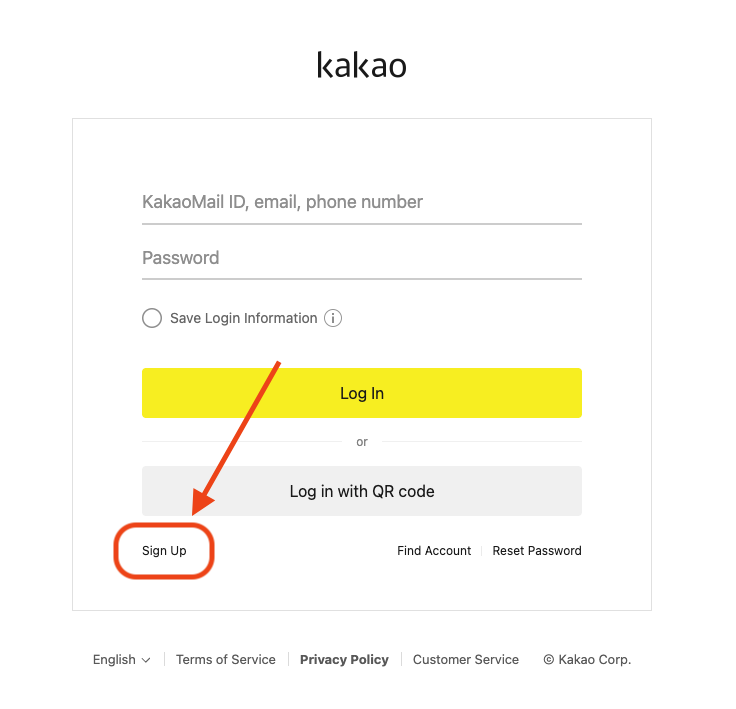
Then, select "I have an email account." Enter your email address and click "Verify". Complete the email verification steps.
Download the KakaoPage mobile app
You must use the KakaoPage mobile app to top up credits, as topping up on the website requires a Korean phone number. We will use the mobile app to top up, but then purchase the novel chapters on the KakaoPage website so that it can be translated more easily.
Get the KakaoPage app on Android
We will use the iOS app to show you how to top up credits and purchase novels, but the steps should be very similar in the Android app as well.
Log in to your KakaoPage account on the mobile app
Once you launch the app, tap the "More" button at the bottom. Swipe right and select KakaoTalk.
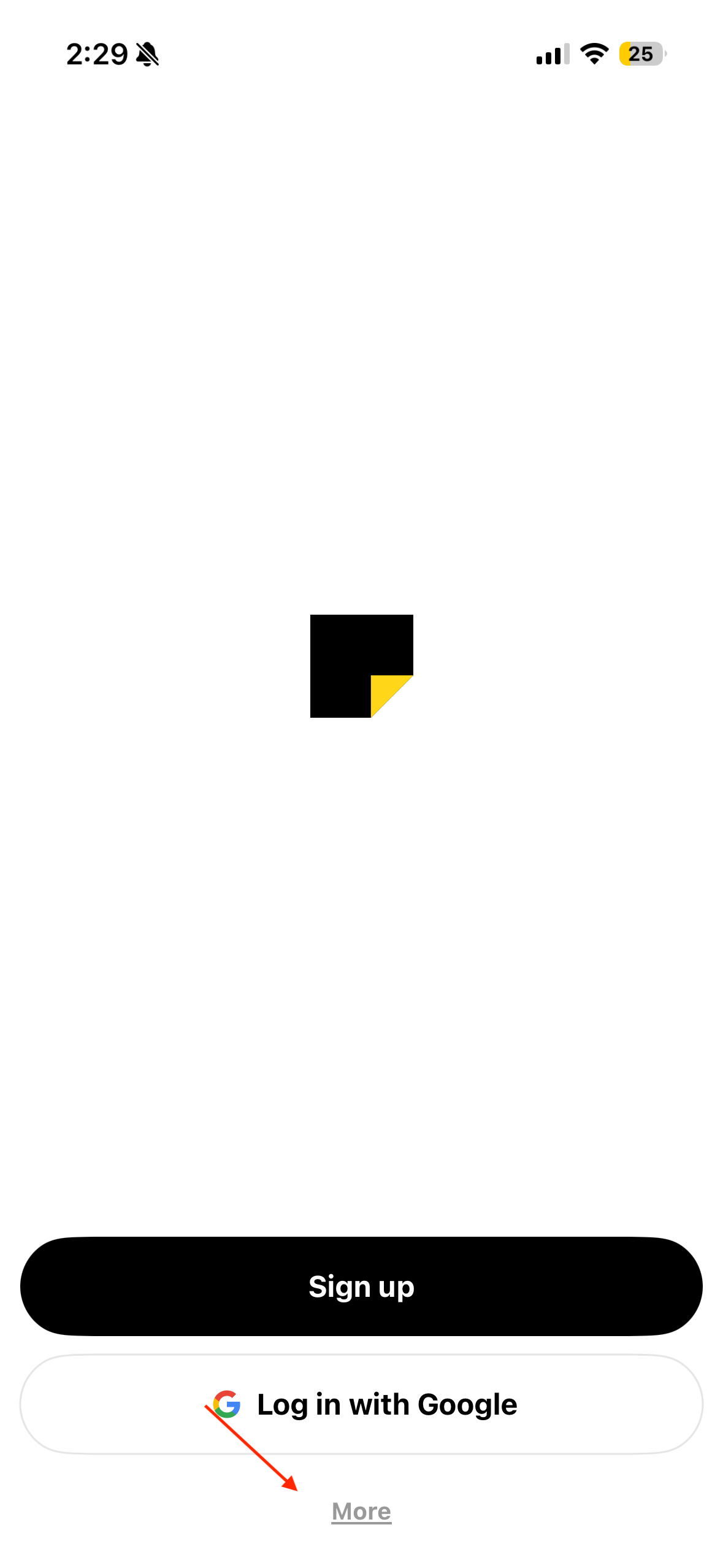
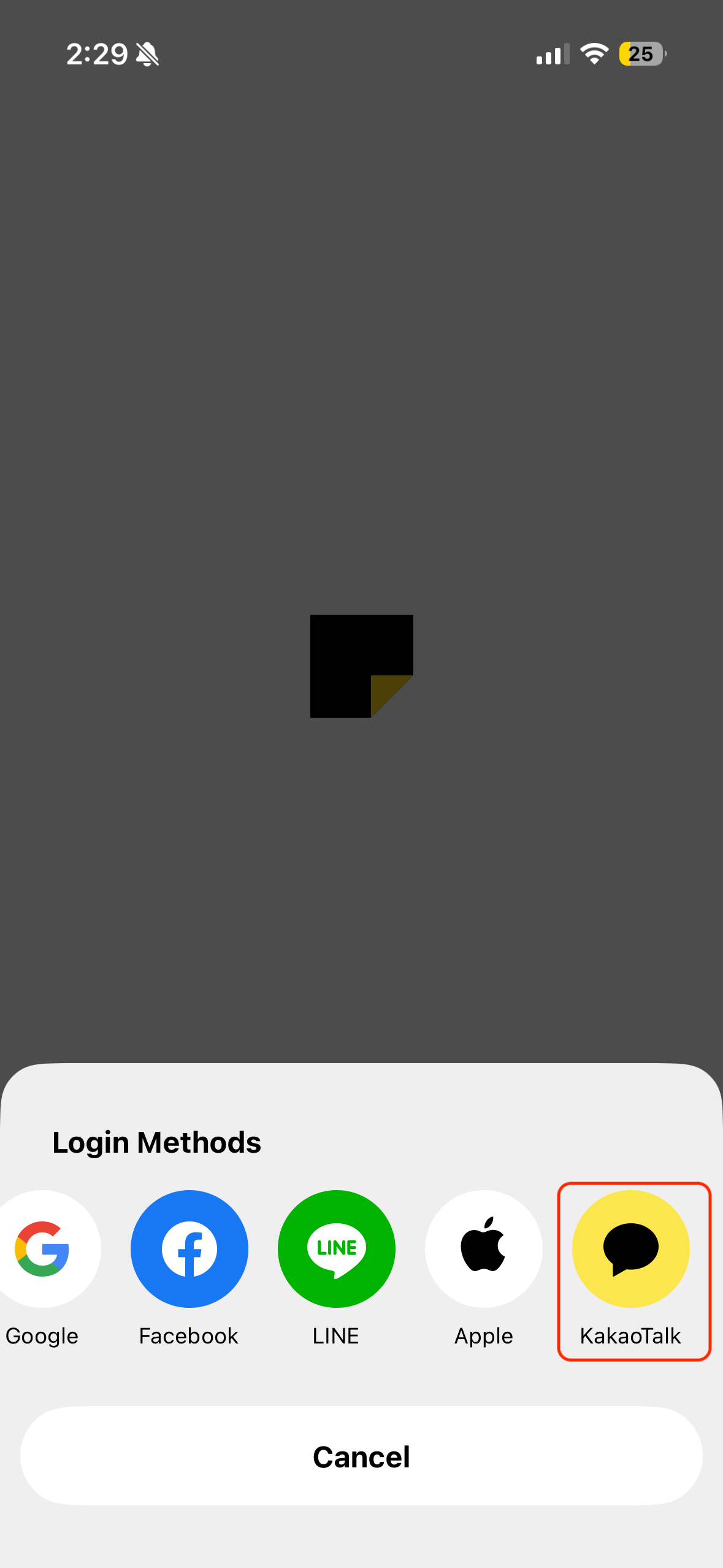
You don't need to install the KakaoTalk app for this. Once you select KakaoTalk, a web view will open and ask you to log in. Just log in with the KakaoPage account you created on the website earlier.
Topping up credits
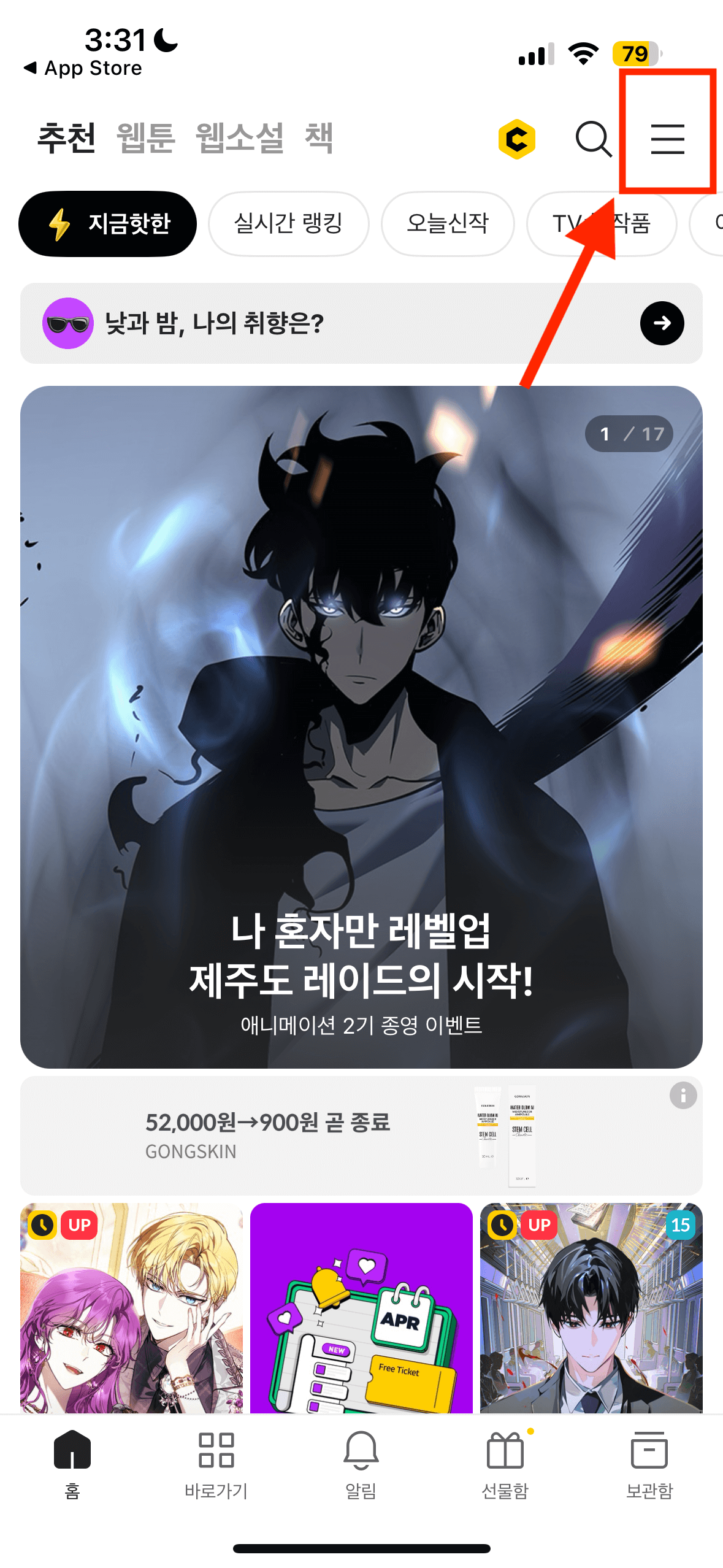
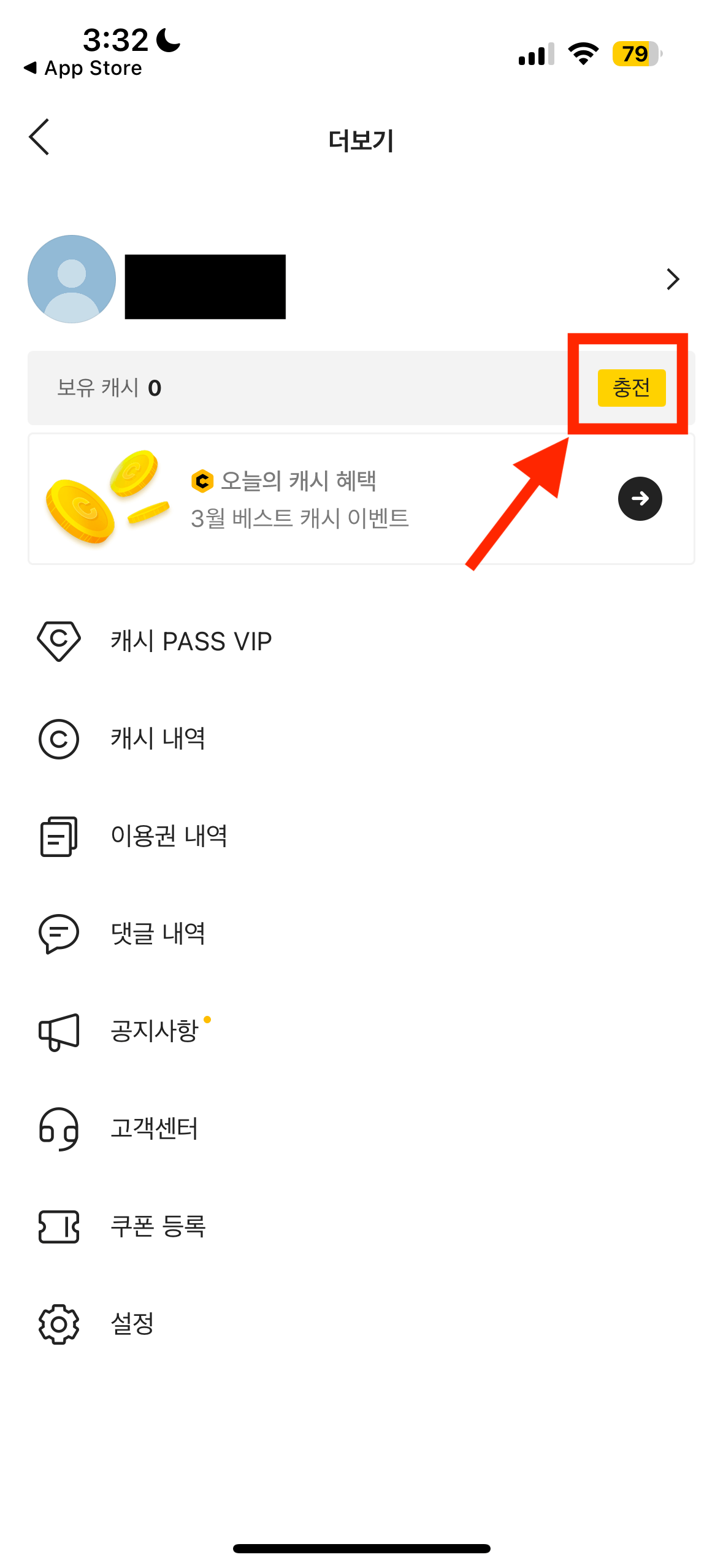
Once you've signed up, you can top up credits on KakaoPage. Tap the Menu icon at the top right corner, then tap the yellow button to go to the store page.
Select the amount of credits you want to top up. Each novel chapter will cost 100 credits, so purchase as many credits as you need.
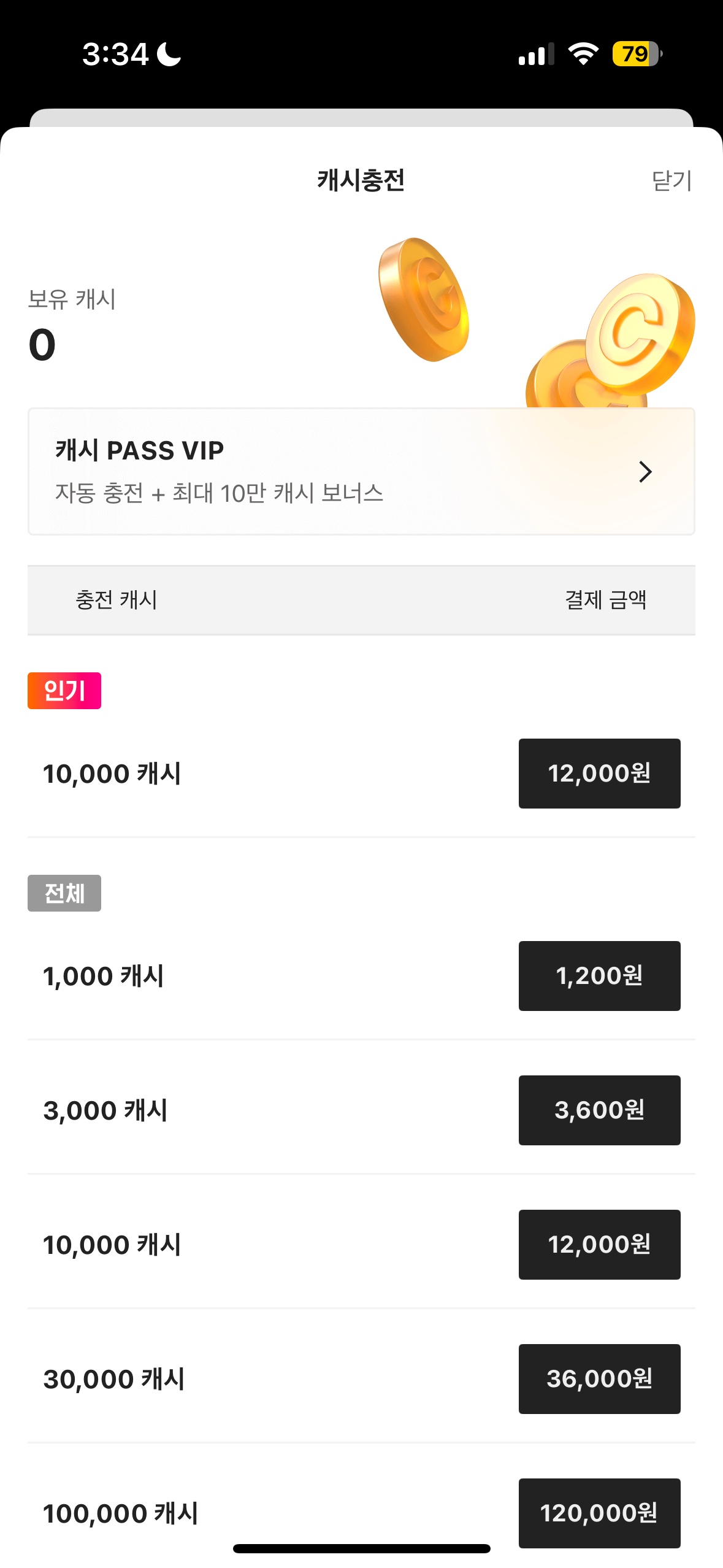
Once you tap the amount you want to purchase, you will be prompted to make payment via Apple Pay on iOS or Google Pay on Android. That's it, the credits will be added to your account immediately.
Purchasing Chapters from the KakaoPage website
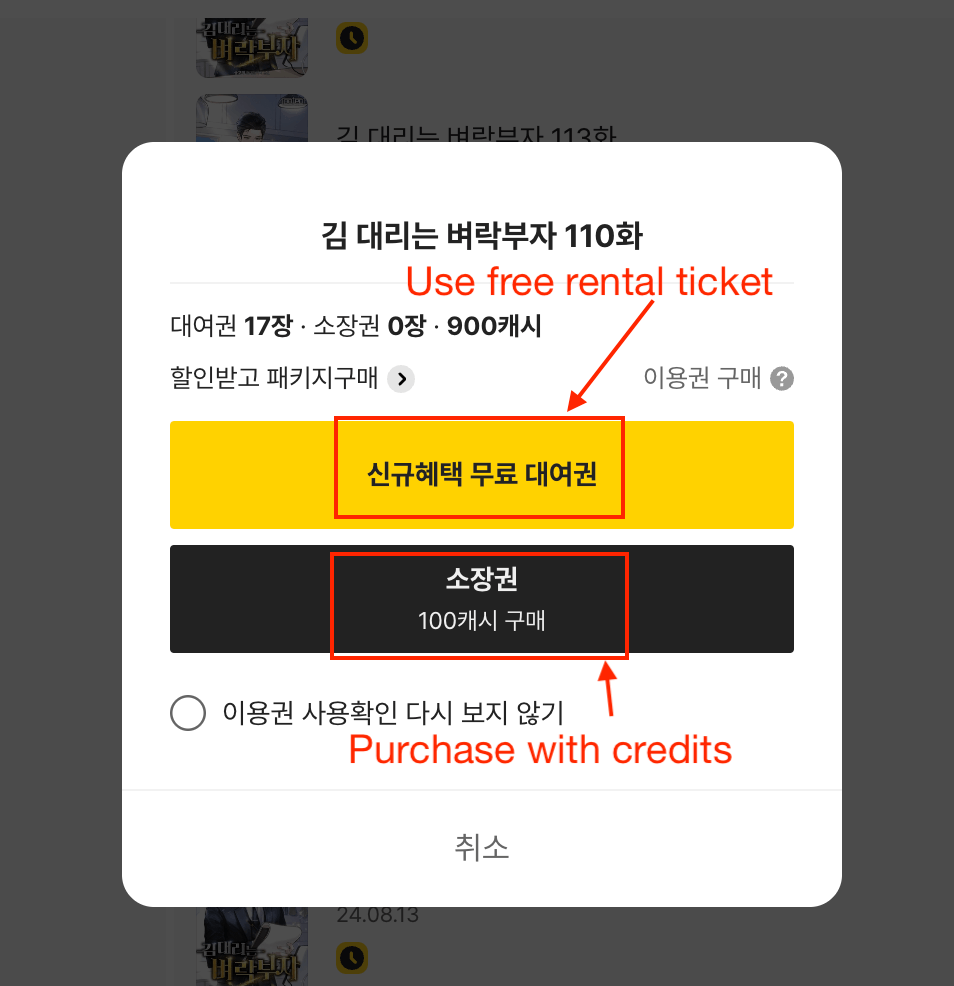
Once you've topped up your credits in the mobile app, login to the same KakaoPage account on the website, as it is much easier to translate novels from the web browser. Simply go to the novel you want to read, and tap the chapter you want to buy. Unlike the free rental tickets, these are permanent purchases and do not expire.
Translating Chapters on KakaoPage
If you want to read your Kakao novels in English or Spanish but want a much better alternative to Google Translate, then give the OpenNovel translator a try.
OpenNovel uses AI (like ChatGPT and Gemini) to provide fast, accurate and highly readable translations. It lets you translate novels directly from the Kakao website on your iPhone, Android or laptop/PC with one click.
Other Ways to buy KakaoPage Credits
You can consider buying from the following websites (do this at your own risk - we claim no responsibility!):
- obtgame - includes a 19+ verified account
- newgameway - cash points only
These websites are brokers and buy the credits on your behalf, they are not the official website.